Sport tracker · Android · Open source
Waykeep
Your route. Your record.
A private sports tracker for Android. Record runs, walks, hikes and rides, then see your route, pace and progress in a training log that stays on your phone.
No account · No cloud sync · No ads · Android 8.0+
Signed APK · 12.2 MB · Android 8.0+
Verify this download
- APK SHA-256
- d8f7f8fc2339c8f0316046aafcdfb717c5255c0b3421321be75d32a4c6181a97
- Signing certificate SHA-256
- 10a76228001d51448bec8ab43036bf491cba176f6f6e924a18a108607388fb3c
Example activity
- Distance
- 5.0km
- Moving
- 28:41
- Pace
- 5:44/km
Illustrative route, not a recorded track.
Privacy, plainly
A training log, not a social feed.
Waykeep is built for people who want to keep their training to themselves. Here is exactly where your data lives and when it moves.
Read the privacy policy →Stays on your phone
Tracks, markers, photos and stats are stored locally. There is no account, no cloud, no ads, no analytics and no Google Play Services.
Network: map tiles only
The in-app map downloads tiles to draw the basemap and caches what you've viewed. Turn on offline mode to stop tile requests.
Leaves only when you say
Export to GPX, KML or KMZ, share a stat image, or share a diagnostics journal — each is something you choose to do.
Inside the app
Along the route
01
The route comes first
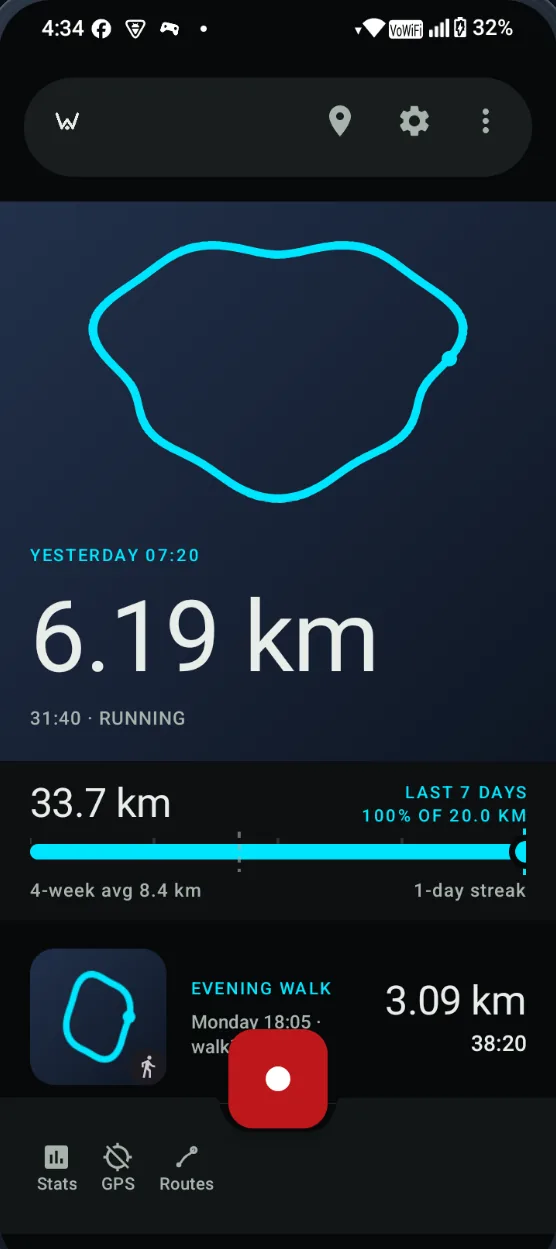
Home opens on your latest route, fitted whole in the frame, with distance, date and time beneath it. Every feed tile draws the full shape of the track.
02
Honest numbers
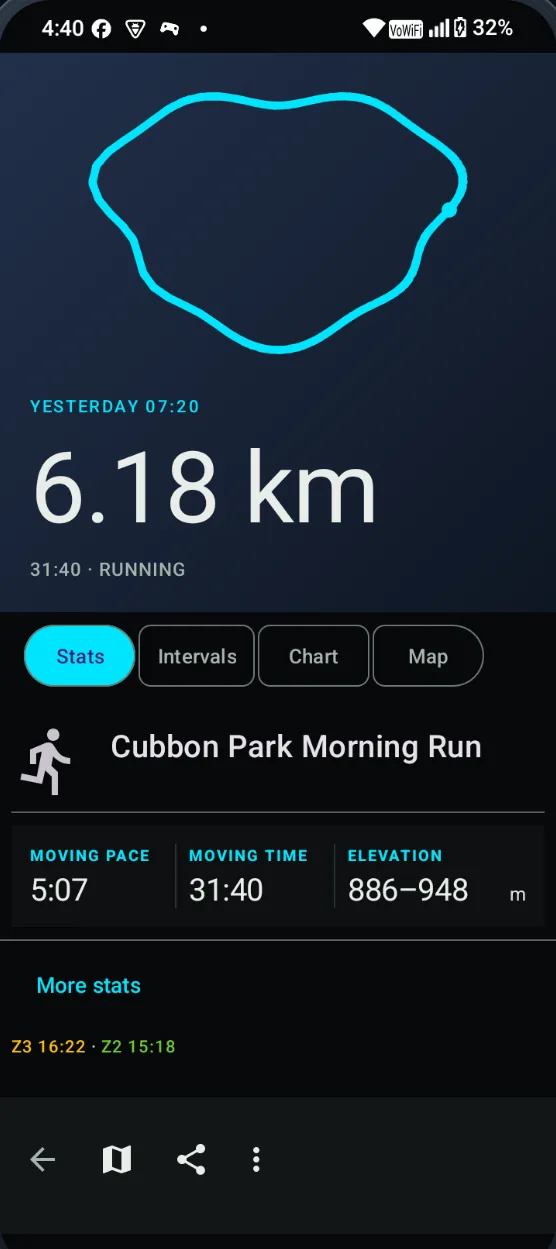
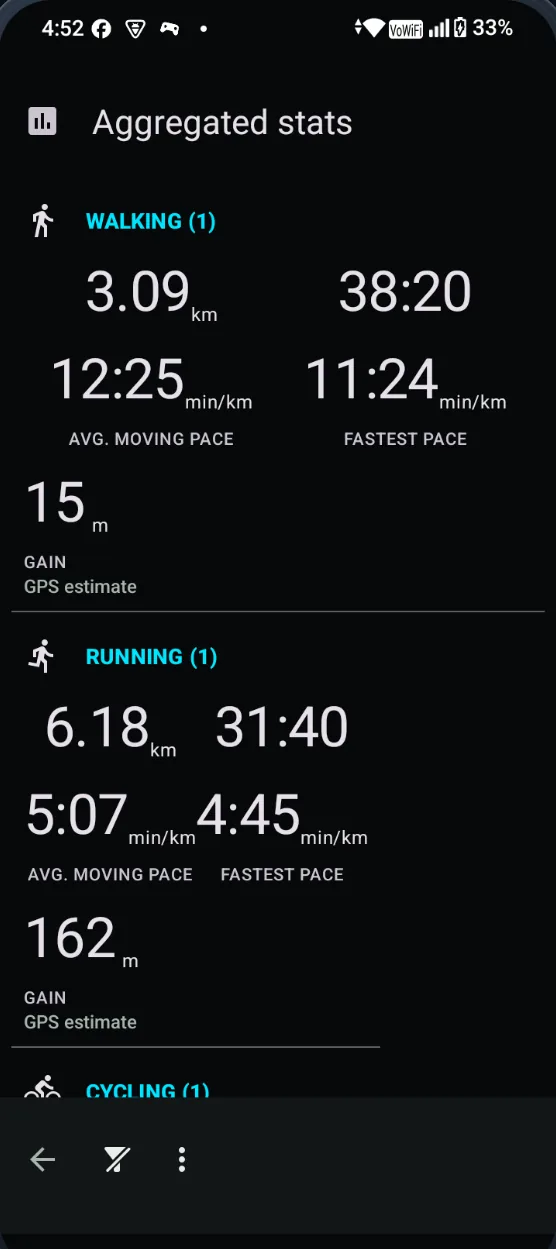
Distance, moving time, total time, fastest and average pace for every track — with moving and total kept as separate, clearly labelled figures.
03
One metric, one chart
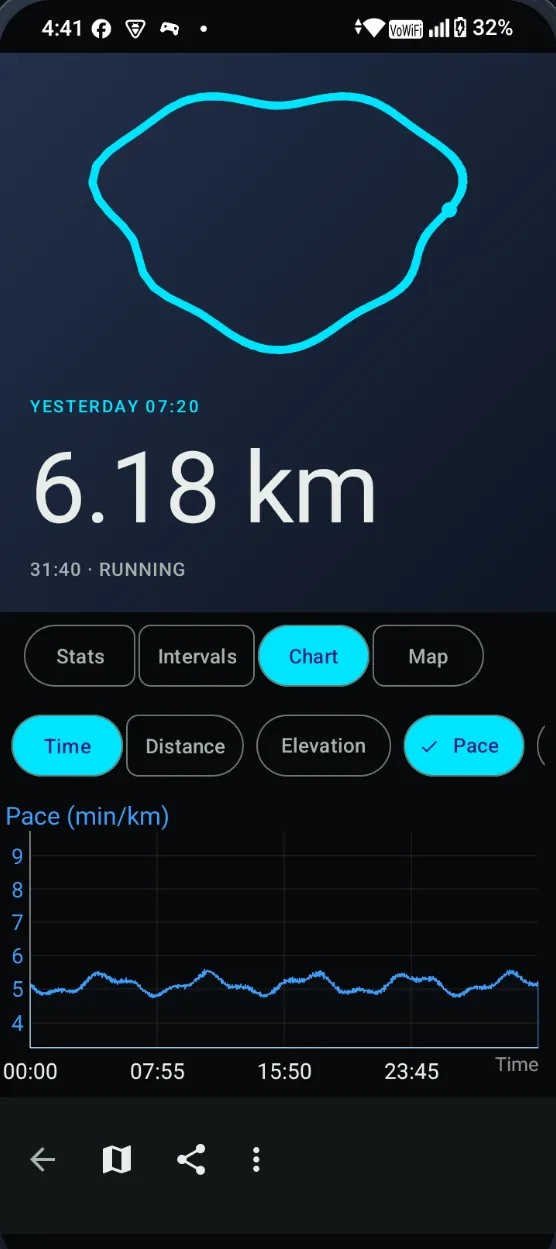
Charts show one readable metric at a time over distance or time. Tap to inspect a point. Pace and speed clip outliers to the 5th–95th percentile and mark the clipped edges.
04
Splits per kilometre or mile
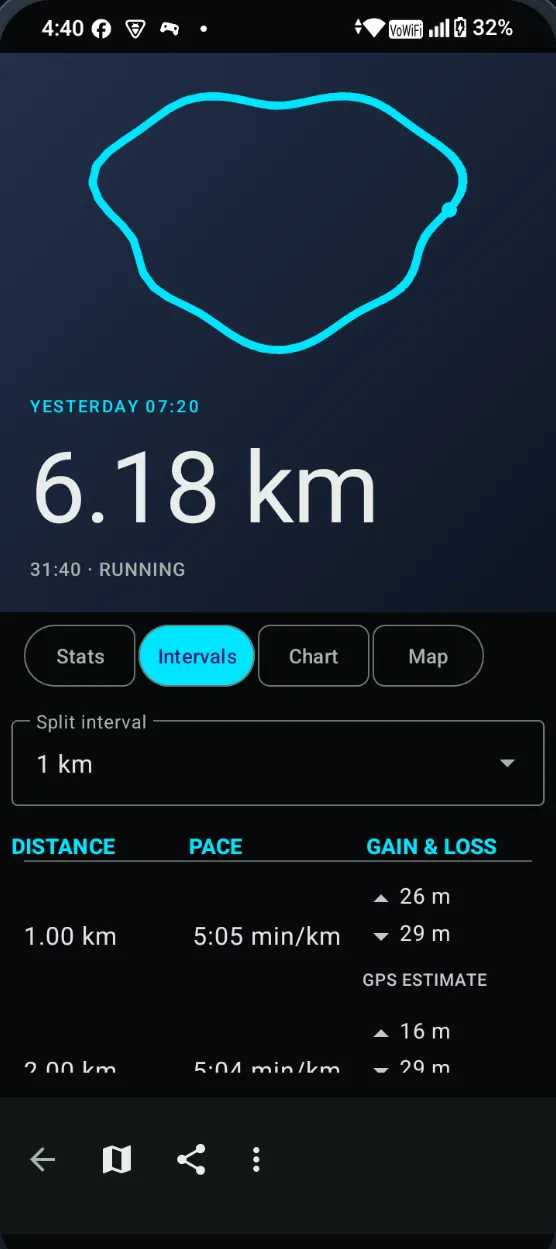
Intervals break a track into splits with pace and elevation gain and loss.
05
Personal bests and recaps
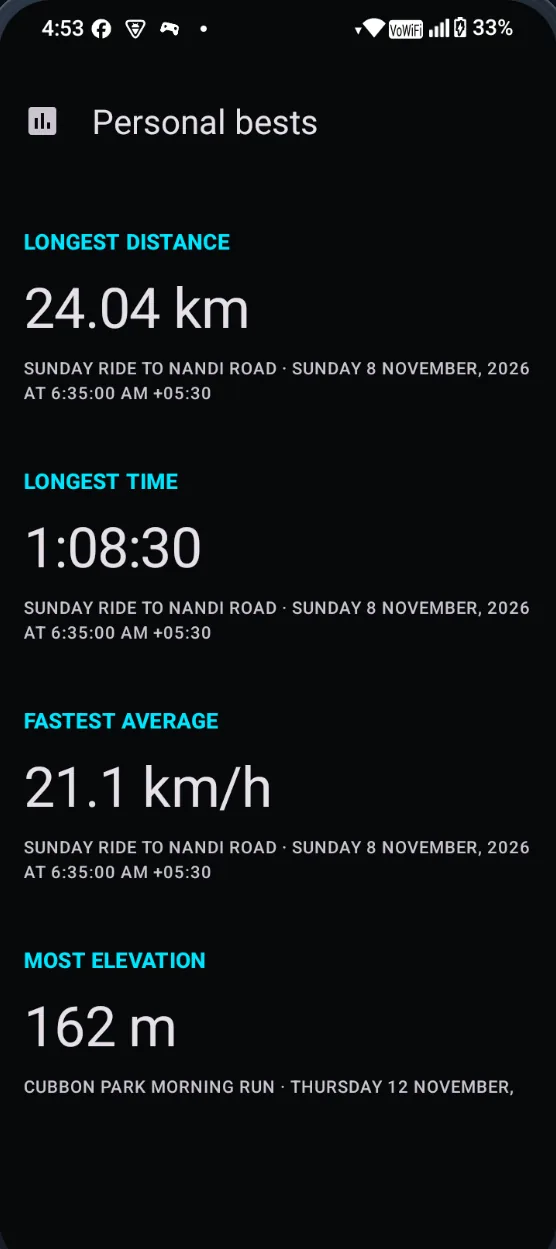
Longest distance, longest time, fastest average and top speed are tracked automatically. Aggregate stats by day, week, month or year.
Offline-capable map
CyclOSM by default with a minimal canvas alternative; start, end and marker pins.
Suggested loops
Generate 3, 5 or 10 km running loops with distance and climb.
Recording
Voice announcements, markers and photos; a home-screen widget with weekly and monthly totals.
Sensors
Bluetooth LE heart rate, speed, cadence and power; barometer altitude.
Gadgetbridge
Live stats on supported wearables.
Recovery
If Android kills the recorder, a separate recovered copy of the track is kept.
Guides for your first recording →Read the running and offline-recording guide →
In the open
Check it yourself
A privacy claim is only worth the checks behind it. All of these are public.
Source you can read
GPLv3, with the upstream OpenTracks licence notices preserved. Every change is in the open, and issues are public.
Browse the source →Signed, and verifiable
The v1.1.1 APK is signed with the project's release certificate, and its SHA-256 is published in the release notes. You can check both before installing.
Read the build details →No telemetry to opt out of
The app has no analytics, ads, crash reporting or Google Play Services. Diagnostics stay in a local journal.
Read the privacy policy →Maintained in public by @IntegerAlex · Report a bug
Questions
FAQ
Can I install the current APK?
Yes. v1.1.1 is signed, so Android will install it. Download the APK and open it, then allow installing from the app that saved it. Android may warn about an app from an unknown source and Play Protect may ask you to confirm. If you use ADB or another tool that talks to the phone directly, those dialogs are skipped.
Is Waykeep on Google Play or F-Droid?
No. Distribution is direct: signed APKs on GitHub releases, announced on the release feed. F-Droid submission is deferred. A store listing is not planned for this release.
How do I check the download is genuine?
Compare the file's SHA-256 with the one published in the release notes, and check the signing certificate — both values are also listed in the release notes. With Android build-tools installed: apksigner verify --print-certs <file>.apk. The certificate must be the one shown there.
How do updates work?
Install the newer APK over the old one. Updates are never downloaded automatically and nothing checks for them in the background — the release feed is the only notification. Every update must carry the same signing certificate as the build you have, otherwise Android refuses it.
Do I need an account?
No. There is no sign-up and no cloud sync. Recordings are stored in a database on your phone.
Does it use the internet?
Only for map tiles. Viewed tiles are cached, and an offline-mode toggle stops tile requests entirely. Recording itself works without a connection.
How do I get my data out?
Export a track as GPX 1.1, KML 2.3 or KMZ 2.3 (with photos) — by hand, or automatically after each recording. You can also share rendered stat images. Nothing is exported unless you set it up.
Does it need Google Play Services?
No. Waykeep has no dependency on Google Play Services, no ads and no analytics.
Which sensors work?
Bluetooth LE heart rate, speed, cadence and power sensors, plus barometer or BLE altitude. See the tested sensors list in the repository.
Is it on iPhone?
No. Waykeep is Android only (Android 8.0 and newer).
How is it related to OpenTracks?
Waykeep is a fork of OpenTracks. It adds an in-app offline map, a redesigned feed and charts, share images, personal bests and recording diagnostics.
Does this website track me?
No analytics, cookies or third-party scripts, and the fonts are served from this site rather than a CDN. Download links go to GitHub, which applies its own logging when you follow them.